Projects

The body of work

Everything below started as a real problem in a real classroom. Looking for something to actually use right now? Head to Resources instead - this page is the story behind the work.

Case study

Chemistry Virtual Labs

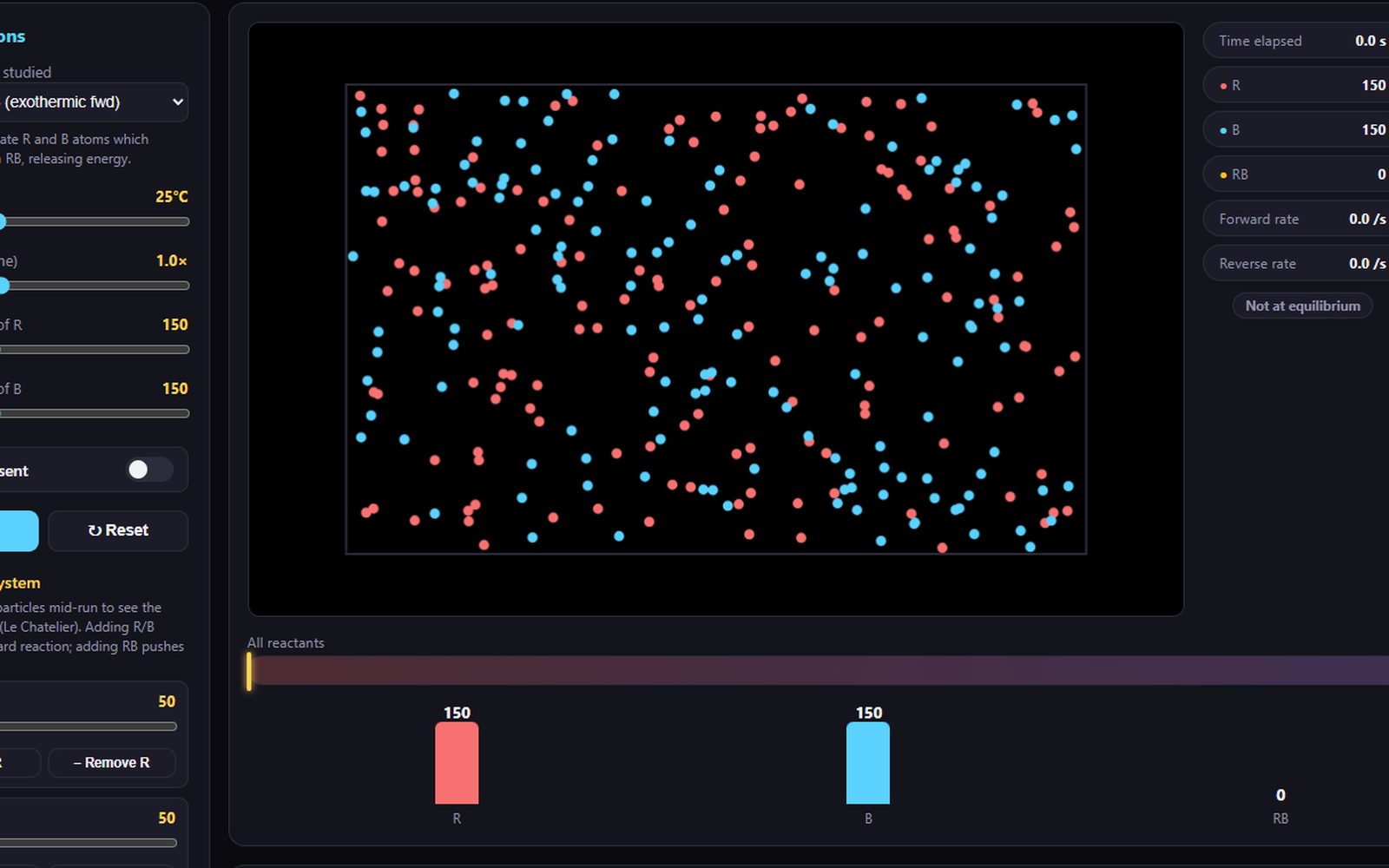
Six interactive simulations covering bonding, rates, equilibrium and moles.

The problem

In chemistry, students have to balance the symbolic, macroscopic and microscopic all in their head, no easy feat, physical practicals and static diagrams only go so far for for some of the most difficult topics. Understadning requires scaffolding from an expert and plenty of practice.

The approach

These simulations allow the stundets to get to grip with the microscopic details of chemistry and are perfect for walking them through difficult concepts in class, or for homework to explore and complete virtual labs or practice calculations.

The six simulations

Try them all on Resources →
Case study

Quiz Maker

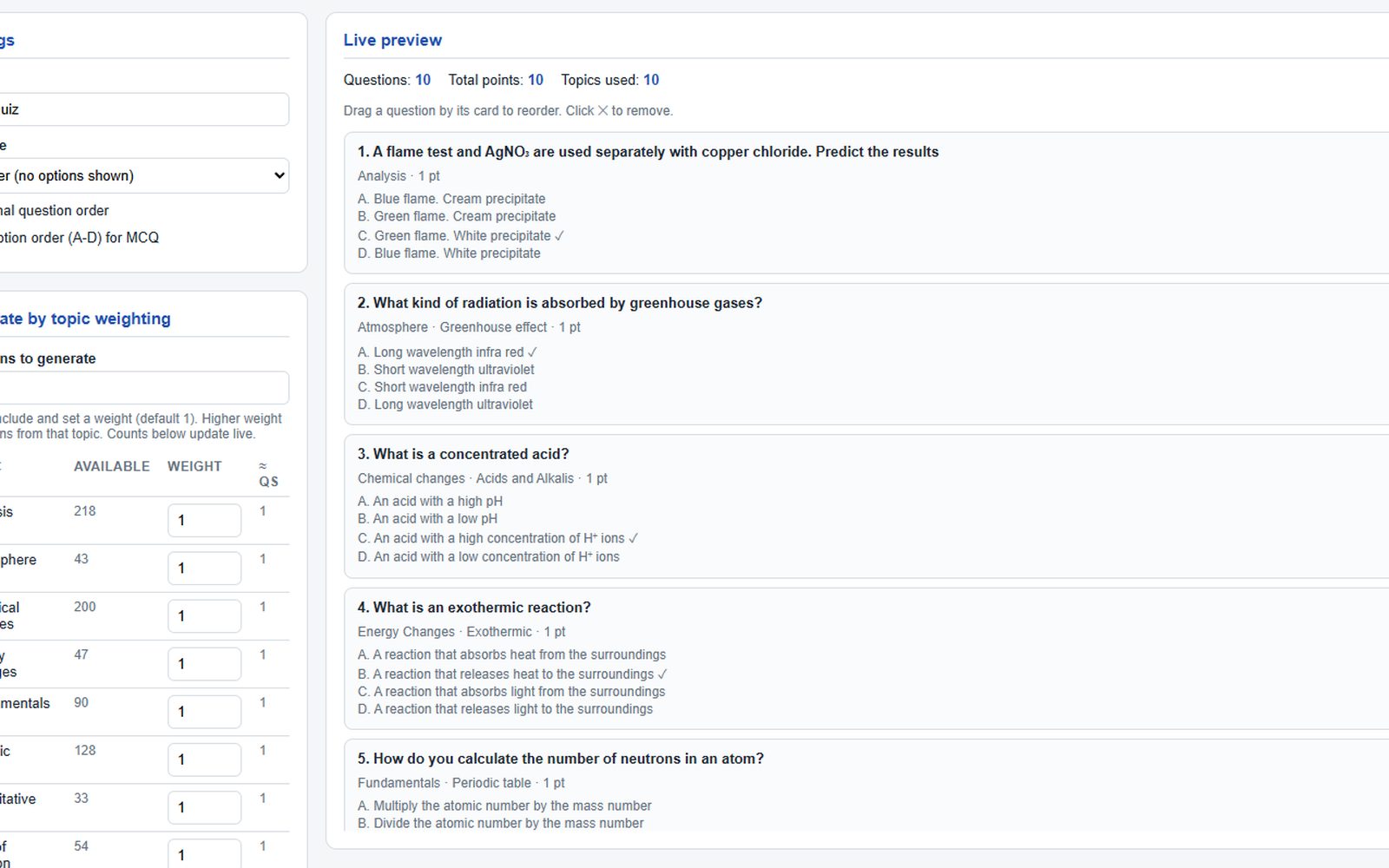
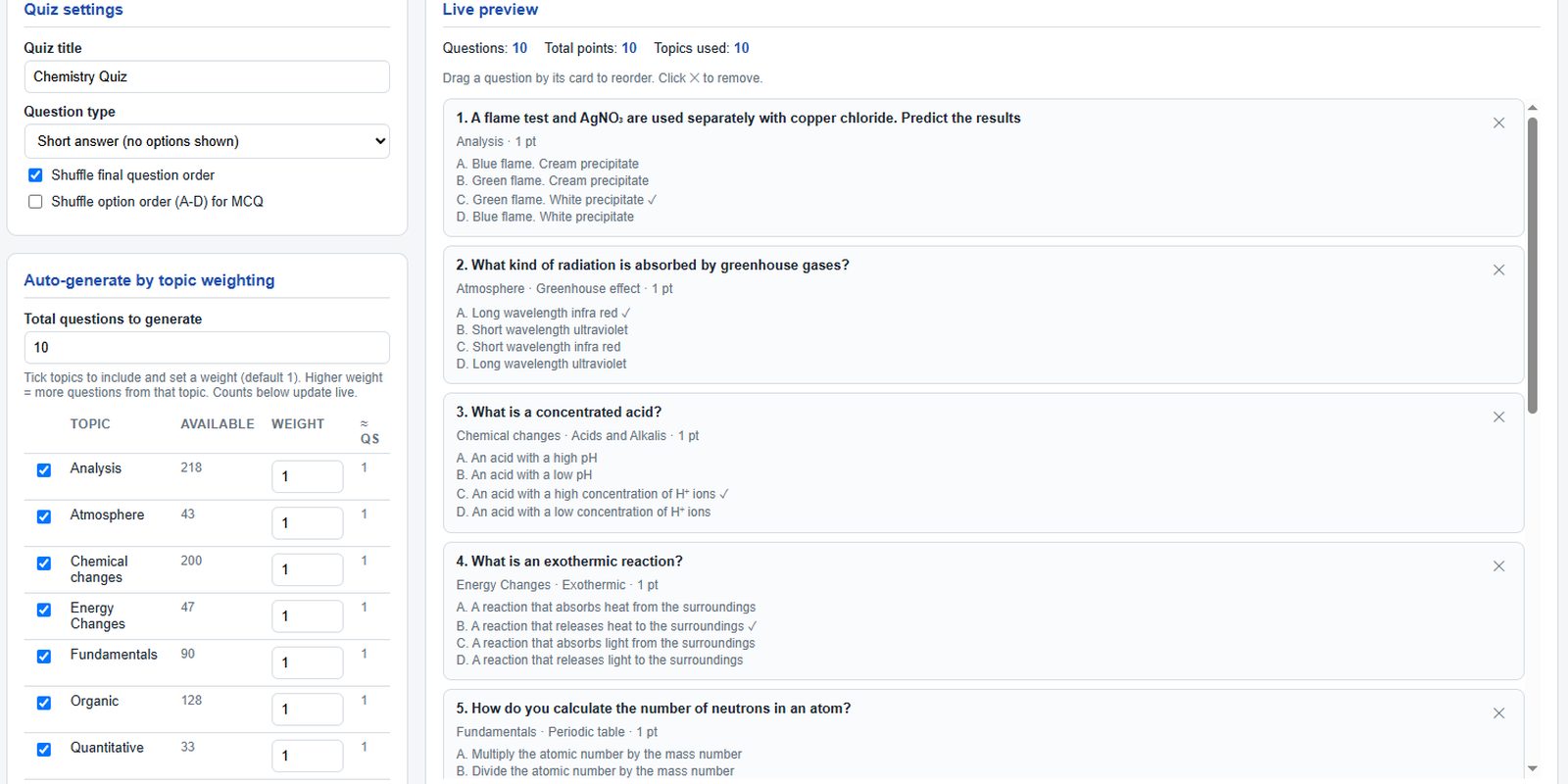
A tool to generate quizzes either for paper, PowerPoint, or as a self-marking HTML file for homework.

Try the Quiz Maker →

The problem

Completing practice questions and thinking hard is one of the best ways for anyone to learn, but I was finding I spent more time than I would like on setting quality work, especially when it came to using assessment to plan revision and plug gaps.

The approach

This used to exist as a simple Excel sheet with some poorly written VBA macros. I generated MCQ quizzes for students to complete and quickly collected answers with a scanner app. With the help of AI this is now a user-friendly HTML file that anyone can add their own custom content to, so they can spend more time doing what matters.

Key features

  • Auto-generates quizzes by topic, weighted however you like
  • Preloaded with over 1000 Chemistry questions, or bring your own
  • Drag to reorder, shuffle questions and options
  • Exports to a self-marking HTML file students can open anywhere
Case study

Revision Diary

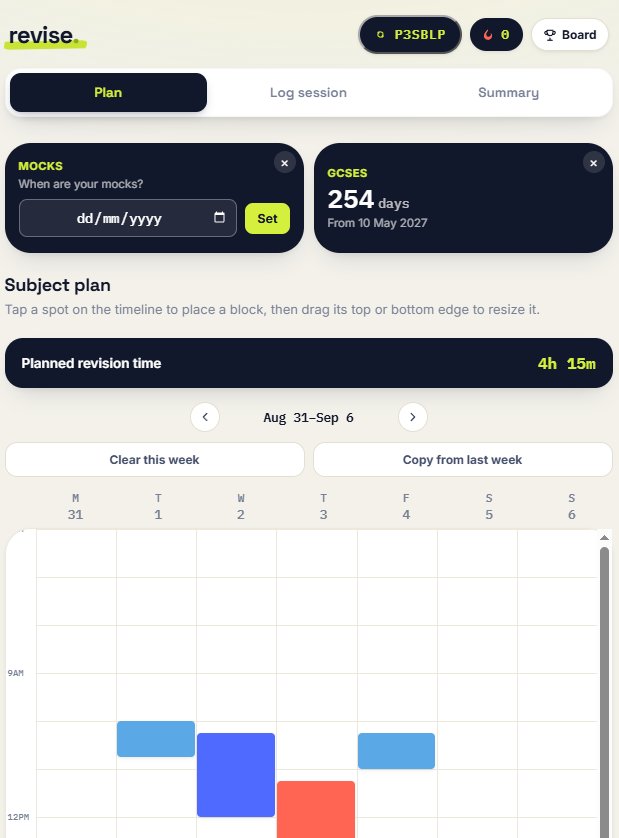
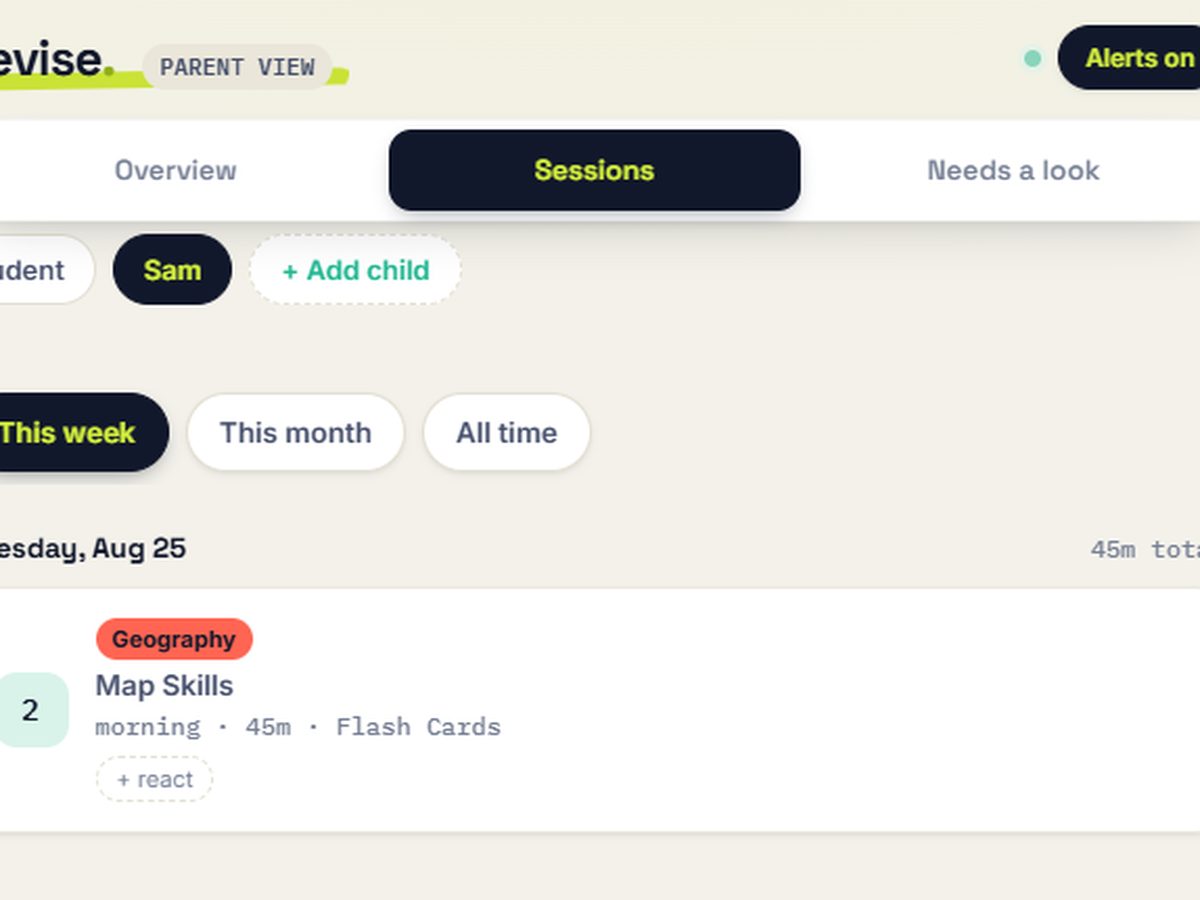
A student revision tracking platform built around three steps: plan a session, log what you actually did, then review your progress.

Try it live →
Revision Diary - Plan screen, weekly timeline 1. Plan
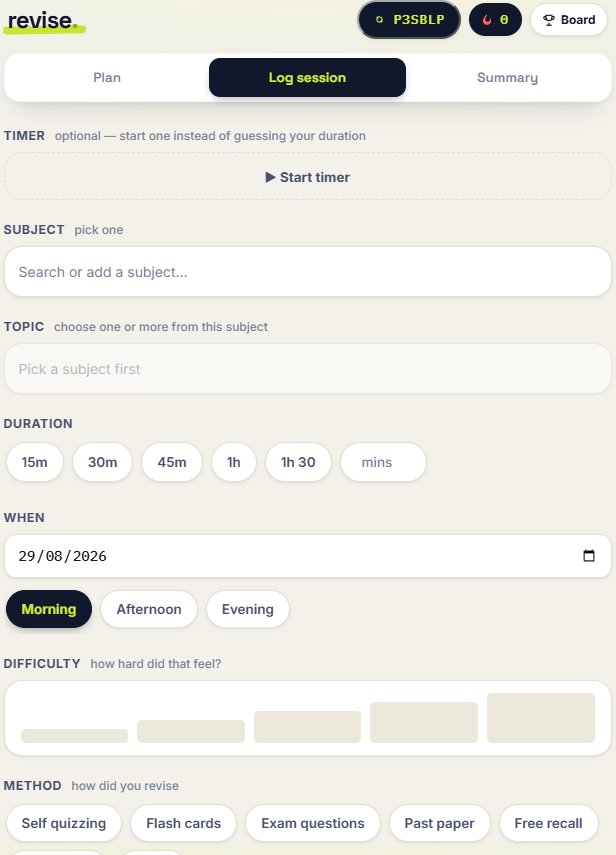
Revision Diary - Do screen, logging a session 2. Do
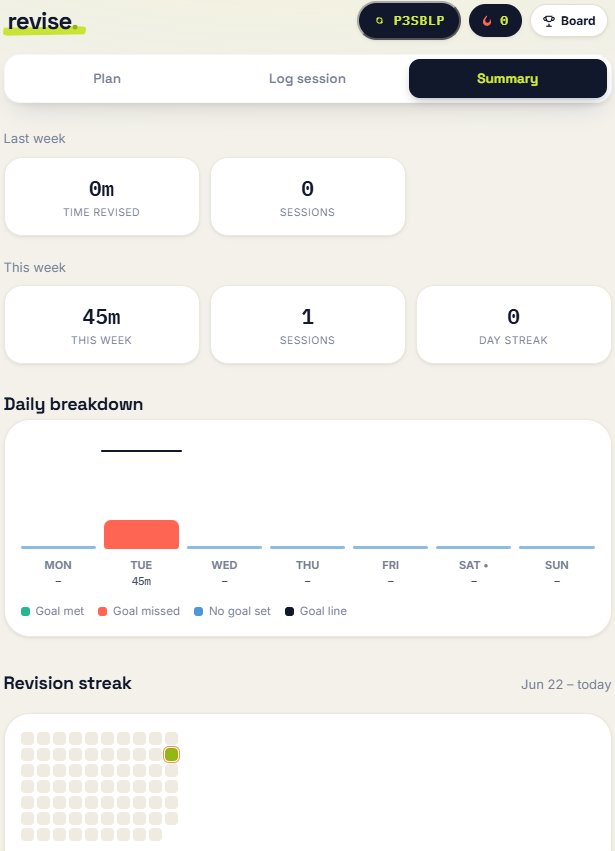
Revision Diary - Review screen, weekly summary and streak 3. Review

The problem

"Revise for your exams" is not a plan. Students who sit down to revise with no structure tend to re-read notes passively. Plenty of tracking apps exist but I wanted one with all the features, for free.

The approach

A three-step loop: set a topic and goal before starting, log the session as it happens (subject, duration, method, difficulty), then see progress build over time through streaks and a weekly summary. Managing revision doesn't have to be boring, The app includes optional friend group leaderboards, a "spotify wrapped esq" revision wrapped after key points and a secret tamagochi game where your revision gives you points to look after a pet.

Key features

  • Weekly planning timeline with drag-to-place sessions
  • Session logging with method, duration and difficulty
  • Streaks and a weekly summary dashboard
  • A parent view, without needing to micromanage
For Parents

Parents can see that revision is happening and roughly where time is going, without micromanaging every session.

Case study

Assessment Analytics

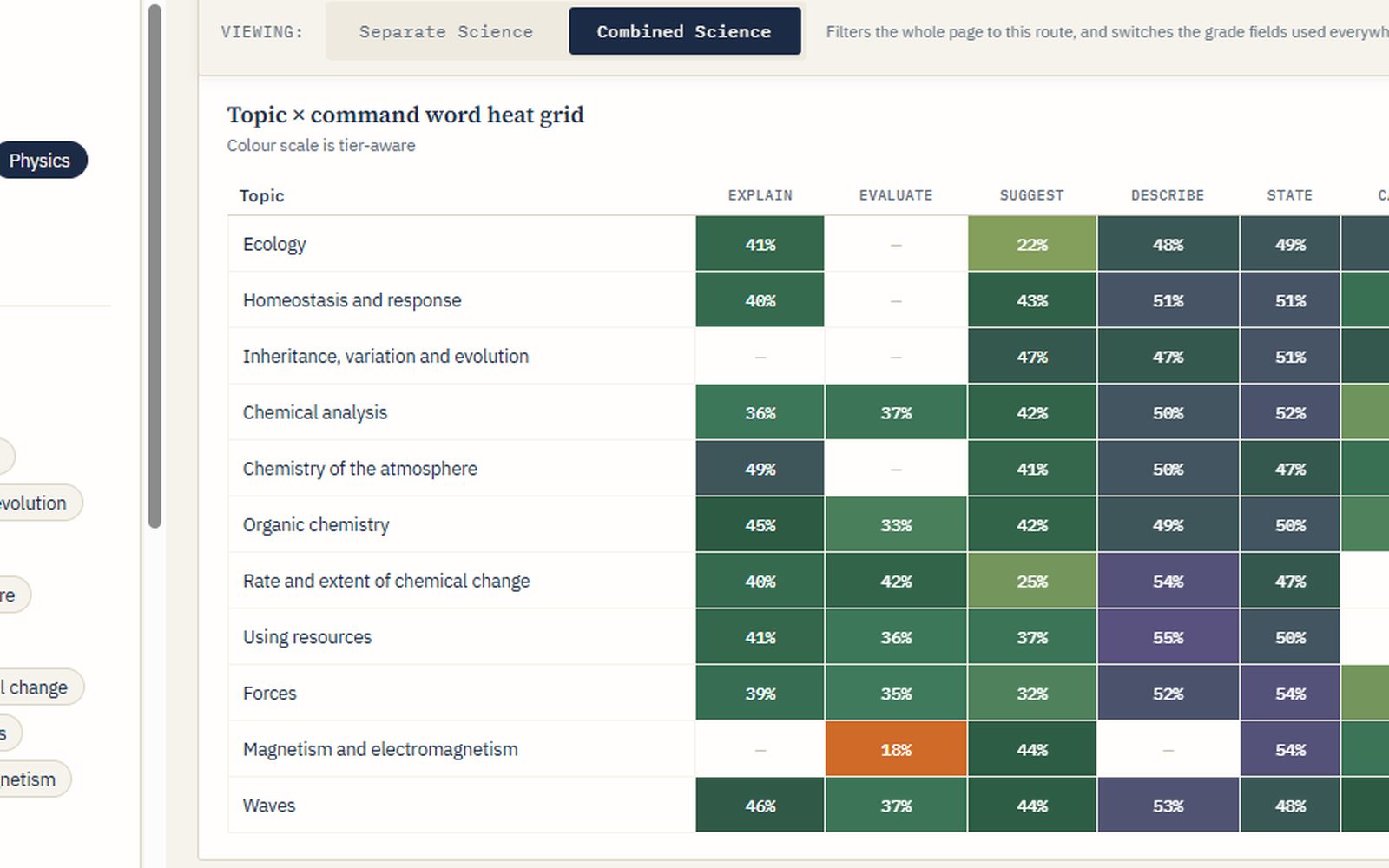
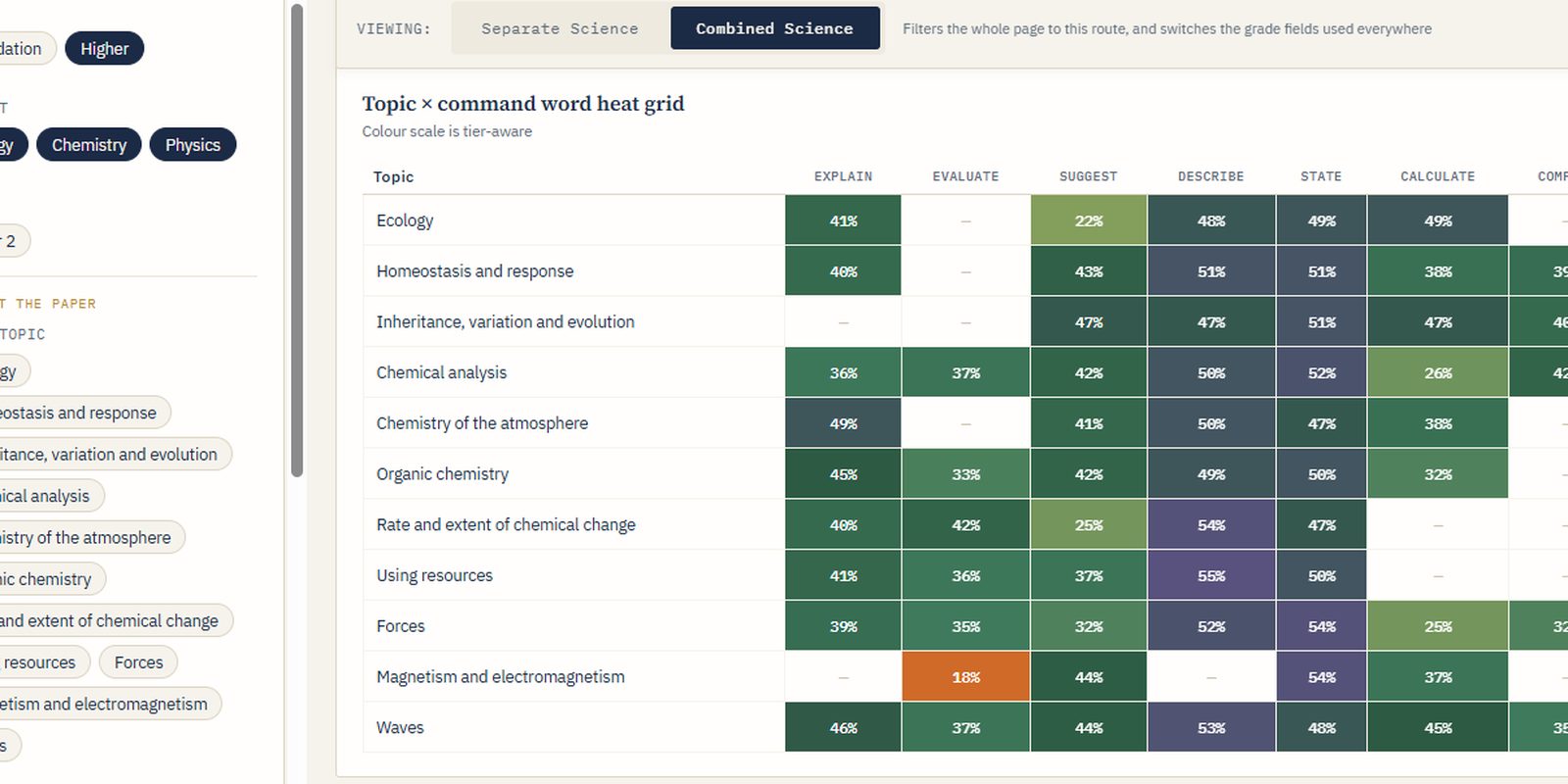
Question-level analysis that turns raw assessment data into information about exactly where students are struggling providing insights for your team and for students and parents.

The problem

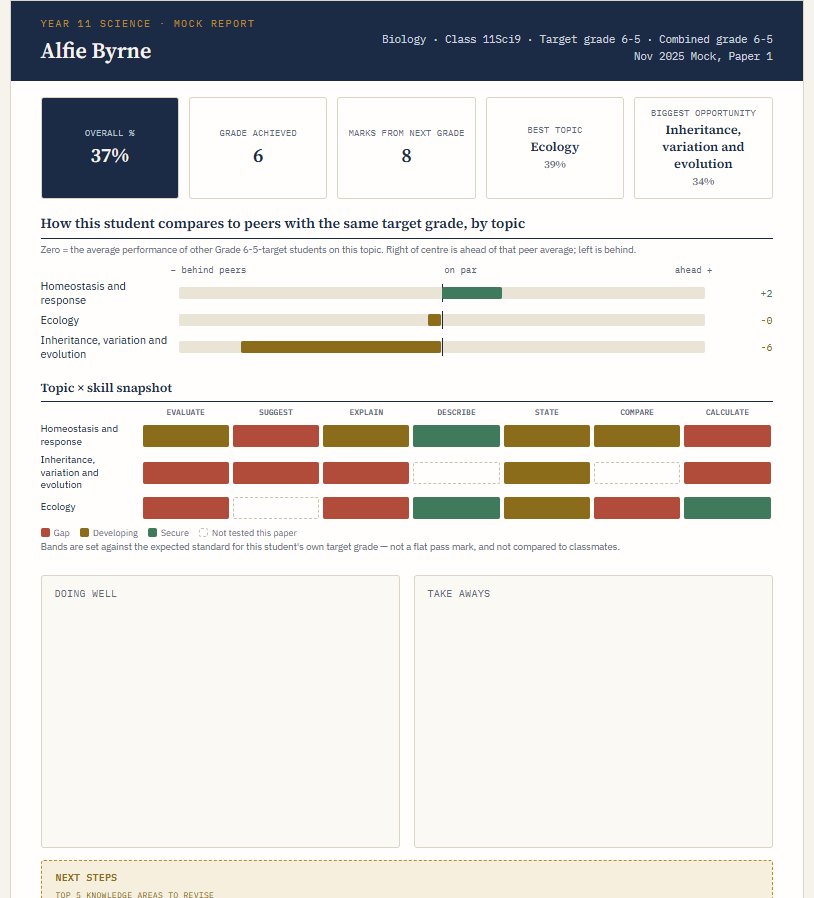
Put simply, this problem is, how to get the most out of assesment and has been my favourite problem to contribute to so far. The idea for this came about from a Year 11 parents evening a number of years ago, where using my quiz maker, I tracked each students scores by topic and subtopic and used this to produce a 1 page report for each of them higlhighting strengths and weaknesses which we reviwed on parents evening. This was well recieved as I later found out from a conversation with the head. I wondered how this could be used across more students.

The approach

In mock review sessions, students complete a sheet summarising their marks. This is scanned and combined with teacher generate metadata about the questions and then automatically analysed. All of this happens locally with no AI and a minimal time investment from teachers and heads of departments. The output is an interactive dashboard that can be used to drive departmental improvemnts and individualised reports for each student.

Key features

  • Question-level breakdowns by specification point
  • Anonymised cohort-level dashboards
  • Exportable reports for department meetings

Existing system vs bespoke development

Built initially as an internal tool for one department; available as a bespoke build for other schools on request.

Want to see it in action first? Both tools below are loaded with fake data so you can click around freely:

Try the Dashboard → Try the Report Generator →

Example output

An individual student report generated from the same underlying data.

Case study

Escape from Science Jail

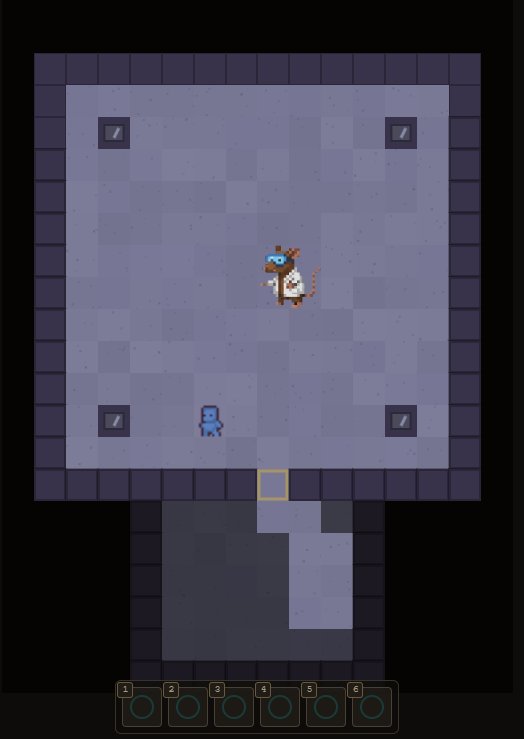
A science-themed escape game that combines customiseable questions with game mechanics Currently in Alpha testing.

The problem

If I had to give a problem here I would say something like "Retrieval practice is effective, but pure quizzing has limited engagement, especially for lower-attaining or reluctant students near the end of a long topic." But in reality I made this to help me improve my limited coding, learn how to work with AI and to see if I could.

The approach

A browser-based escape-room game where correct answers unlock treasure and help you overcome bosses. I think I will offer top students in year 11 mocks the chance to be turned into a boss fight

Key features

  • Question bank tied to specific specification points
  • Progressive puzzle unlocks tied to correct answers
  • Works on classroom devices with no install